Markdown Mode for Emacs




markdown-mode is a major mode for editing Markdown-formatted text. The latest stable version is markdown-mode 2.8, released on March 8, 2026. See the release notes for details. markdown-mode is free software, licensed under the GNU GPL, version 3 or later.
Documentation
The primary documentation for Markdown Mode is available below, and
is generated from comments in the source code. For a more in-depth
treatment, the Guide to Markdown Mode for Emacs covers
Markdown syntax, advanced movement and editing in Emacs,
extensions, configuration examples, tips and tricks, and a survey
of other packages that work with Markdown Mode. Finally, Emacs is
also a self-documenting editor. This means that the source code
itself contains additional documentation: each function has its own
docstring available via C-h f (describe-function), individual
keybindings can be investigated with C-h k (describe-key), and
a complete list of keybindings is available using C-h m
(describe-mode).
Installation
Note: To use all of the features of markdown-mode, you’ll need
to install the Emacs package itself and also have a local Markdown
processor installed (e.g., Markdown.pl, MultiMarkdown, Pandoc, or CommonMark).
The external processor is not required for editing, but will be
used for rendering HTML for preview and export. After installing
the Emacs package, be sure to configure markdown-command to point
to the preferred Markdown executable on your system. See the
Customization section below for more details.
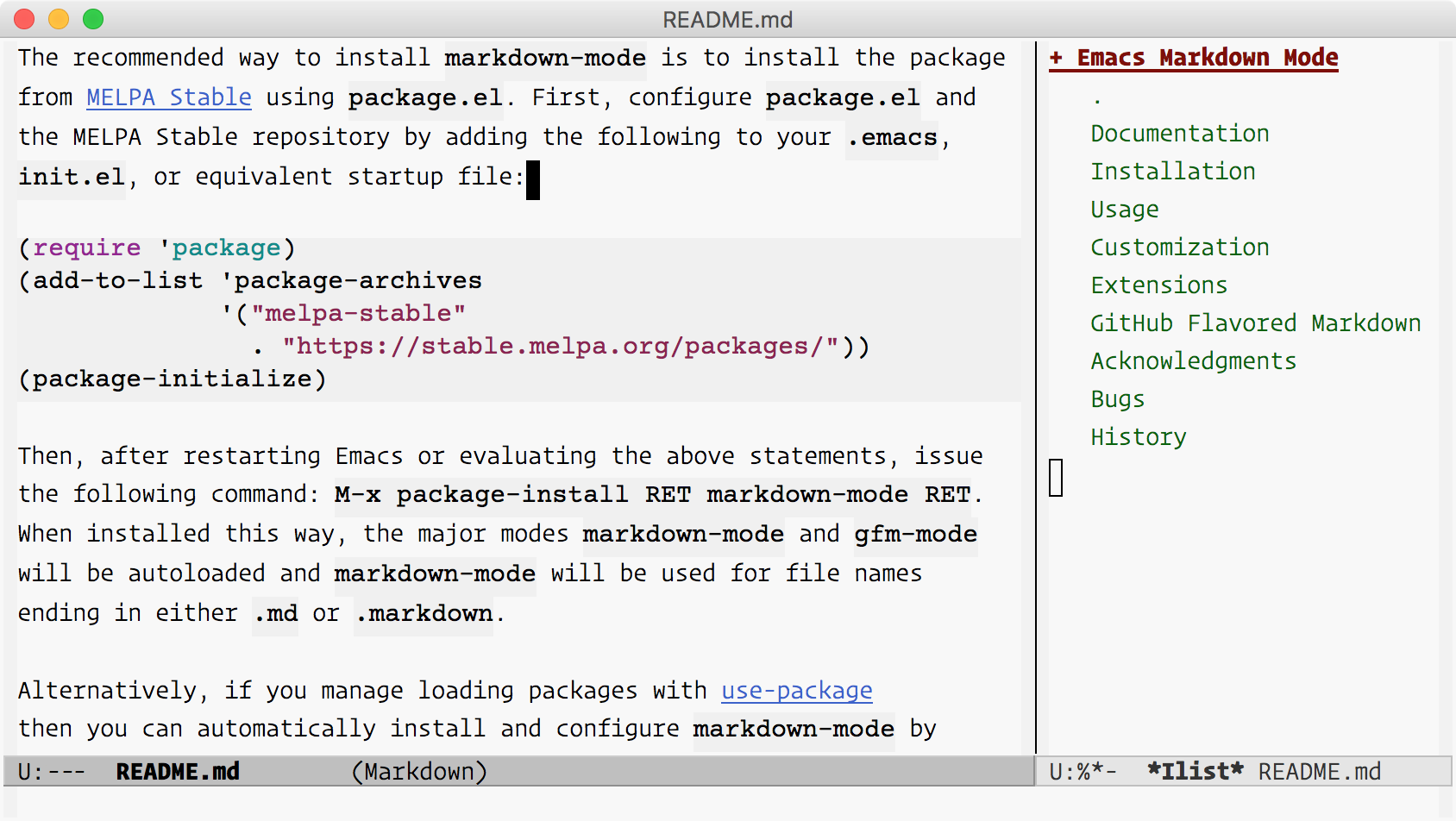
The recommended way to install markdown-mode is to install the package
from MELPA Stable
using package.el. First, configure package.el and the MELPA Stable
repository by adding the following to your .emacs, init.el,
or equivalent startup file:
(require 'package)
(add-to-list 'package-archives
             '("melpa-stable" . "https://stable.melpa.org/packages/"))
(package-initialize)
Then, after restarting Emacs or evaluating the above statements, issue
the following command: M-x package-install RET markdown-mode RET.
When installed this way, the major modes markdown-mode and gfm-mode
will be autoloaded and markdown-mode will be used for file names
ending in .md, .markdown, .mkd, .mdown, .mkdn, .mdwn.
Alternatively, if you manage loading packages with use-package
then you can automatically install and configure markdown-mode by
adding a declaration such as this one to your init file (as an
example; adjust settings as desired):
(use-package markdown-mode
  :ensure t
  :mode ("README\\.md\\'" . gfm-mode)
  :init (setq markdown-command "multimarkdown")
  :bind (:map markdown-mode-map
         ("C-c C-e" . markdown-do)))
Direct Download
Alternatively you can manually download and install markdown-mode.
First, download the latest stable version and
save the file where Emacs can find it (i.e., a directory in your
load-path). You can then configure markdown-mode and gfm-mode
to load automatically by adding the following to your init file:
(autoload 'markdown-mode "markdown-mode"
   "Major mode for editing Markdown files" t)
(add-to-list 'auto-mode-alist
             '("\\.\\(?:md\\|markdown\\|mkd\\|mdown\\|mkdn\\|mdwn\\)\\'" . markdown-mode))

(autoload 'gfm-mode "markdown-mode"
   "Major mode for editing GitHub Flavored Markdown files" t)
(add-to-list 'auto-mode-alist '("README\\.md\\'" . gfm-mode))

(with-eval-after-load 'markdown-mode
  (define-key markdown-mode-map (kbd "C-c C-e") #'markdown-do))
Development Version
To follow or contribute to markdown-mode development, you can browse or clone the Git repository on GitHub:
git clone https://github.com/jrblevin/markdown-mode.git
If you prefer to install and use the development version, which may become unstable at some times, you can either clone the Git repository as above or install markdown-mode from MELPA.
If you clone the repository directly, then make sure that Emacs can find it by adding the following line to your startup file:
(add-to-list 'load-path "/path/to/markdown-mode/repository")
Packaged Installation
markdown-mode is also available in several package managers. You may want to confirm that the package you install contains the latest stable version first (and please notify the package maintainer if not).
- Debian Linux: elpa-markdown-mode and emacs-goodies-el
- Ubuntu Linux: elpa-markdown-mode and emacs-goodies-el
- RedHat and Fedora Linux: emacs-goodies
- NetBSD: textproc/markdown-mode
- MacPorts: markdown-mode.el
- FreeBSD: textproc/markdown-mode.el
Dependencies
To enable editing of code blocks in indirect buffers using C-c ’,
you will need to install the edit-indirect package.
Usage
Keybindings are grouped by prefixes based on their function. For
example, the commands for styling text are grouped under C-c C-s
and toggle commands begin with C-c C-x. The primary commands in
each group will are described below. You can obtain a list of all
keybindings by pressing C-c C-h. Movement and shifting commands
tend to be associated with paired delimiters such as M-{ and
M-} or C-c < and C-c >. Outline navigation keybindings the
same as in org-mode. Finally, commands for running Markdown or
doing maintenance on an open file are grouped under the C-c C-c
prefix. The most commonly used commands are described below.
Links and Images: C-c C-l and C-c C-i
C-c C-l (
markdown-insert-link) is a general command for inserting new link markup or editing existing link markup. This is especially useful when markup or URL hiding is enabled, so that URLs can’t easily be edited directly. This command can be used to insert links of any form: either inline links, reference links, or plain URLs in angle brackets. The URL or[reference]label, link text, and optional title are entered through a series of interactive prompts. The type of link is determined by which values are provided:- If both a URL and link text are given, insert an inline link:
[text](url). - If both a
[reference]label and link text are given, insert a reference link:[text][reference]. - If only link text is given, insert an implicit reference link:
[text][]. - If only a URL is given, insert a plain URL link:
<url>.
Similarly, C-c C-i (
markdown-insert-image) is a general command for inserting or editing image markup. As with the link insertion command, through a series interactive prompts you can insert either an inline or reference image:- If both a URL and alt text are given, insert an inline
image:
. - If both a
[reference]label and alt text are given, insert a reference link:![alt text][reference].
If there is an existing link or image at the point, these command will edit the existing markup rather than inserting new markup. Otherwise, if there is an active region, these commands use the region as either the default URL (if it seems to be a URL) or link text value otherwise. In that case, the region will be deleted and replaced by the link.
Note that these functions can be used to convert links and images from one type to another (inline, reference, or plain URL) by selectively adding or removing properties via the interactive prompts.
If a reference label is given that is not yet defined, you will be prompted for the URL and optional title and the reference will be inserted according to the value of
markdown-reference-location. If a title is given, it will be added to the end of the reference definition and will be used to populate the title attribute when converted to HTML. In addition, it is possible to have themarkdown-link-make-text-functionfunction, if non-nil, define the default link text before prompting the user for it.If
markdown-disable-tooltip-promptis non-nil, the user will not be prompted to add or modify a tooltip text.Images associated with image links may be displayed inline in the buffer by pressing C-c C-x C-i (
markdown-toggle-inline-images). This is a toggle command, so pressing this once again will remove inline images. By default, only local images are displayed. However, remote images will also be downloaded and displayed ifmarkdown-display-remote-imagesis non-nil.Large images may be scaled down to fit in the buffer using
markdown-max-image-size, a cons cell of the form(max-width . max-height). Resizing requires Emacs to be built with ImageMagick support.- If both a URL and link text are given, insert an inline link:
Text Styles: C-c C-s
C-c C-s i inserts markup to make a region or word italic. If there is an active region, make the region italic. If the point is at a non-italic word, make the word italic. If the point is at an italic word or phrase, remove the italic markup. Otherwise, simply insert italic delimiters and place the point in between them. Similarly, use C-c C-s b for bold, C-c C-s c for inline code, and C-c C-s k for inserting
<kbd>tags.C-c C-s q inserts a blockquote using the active region, if any, or starts a new blockquote. C-c C-s Q is a variation which always operates on the region, regardless of whether it is active or not (i.e., when
transient-mark-modeis off but the mark is set). The appropriate amount of indentation, if any, is calculated automatically given the surrounding context, but may be adjusted later using the region indentation commands.C-c C-s p behaves similarly for inserting preformatted code blocks (with C-c C-s P being the region-only counterpart) and C-c C-s C inserts a GFM style backquote fenced code block.
Headings: C-c C-s
To insert or replace headings, there are two options. You can insert a specific level heading directly or you can have
markdown-modedetermine the level for you based on the previous heading. As with the other markup commands, the heading insertion commands use the text in the active region, if any, as the heading text. Otherwise, if the current line is not blank, they use the text on the current line. Finally, the setext commands will prompt for heading text if there is no active region and the current line is blank.C-c C-s h inserts a heading with automatically chosen type and level (both determined by the previous heading). C-c C-s H behaves similarly, but uses setext (underlined) headings when possible, still calculating the level automatically. In cases where the automatically-determined level is not what you intended, the level can be quickly promoted or demoted (as described below). Alternatively, a C-u prefix can be given to insert a heading promoted (lower number) by one level or a C-u C-u prefix can be given to insert a heading demoted (higher number) by one level.
To insert a heading of a specific level and type, use C-c C-s 1 through C-c C-s 6 for atx (hash mark) headings and C-c C-s ! or C-c C-s @ for setext headings of level one or two, respectively. Note that ! is S–1 and @ is S–2.
If the point is at a heading, these commands will replace the existing markup in order to update the level and/or type of the heading. To remove the markup of the heading at the point, press C-c C-k to kill the heading and press C-y to yank the heading text back into the buffer.
Horizontal Rules: C-c C-s -
C-c C-s - inserts a horizontal rule. By default, insert the first string in the list
markdown-hr-strings(the most prominent rule). With a C-u prefix, insert the last string. With a numeric prefix N, insert the string in position N (counting from 1).Footnotes: C-c C-s f
C-c C-s f inserts a footnote marker at the point, inserts a footnote definition below, and positions the point for inserting the footnote text. Note that footnotes are an extension to Markdown and are not supported by all processors.
Wiki Links: C-c C-s w
C-c C-s w inserts a wiki link of the form
[[WikiLink]]. If there is an active region, use the region as the link text. If the point is at a word, use the word as the link text. If there is no active region and the point is not at word, simply insert link markup. Note that wiki links are an extension to Markdown and are not supported by all processors.Markdown and Maintenance Commands: C-c C-c
Compile: C-c C-c m will run Markdown on the current buffer and show the output in another buffer. Preview: C-c C-c p runs Markdown on the current buffer and previews, stores the output in a temporary file, and displays the file in a browser. Export: C-c C-c e will run Markdown on the current buffer and save the result in the file
basename.html, wherebasenameis the name of the Markdown file with the extension removed. Export and View: press C-c C-c v to export the file and view it in a browser. Open: C-c C-c o will open the Markdown source file directly usingmarkdown-open-command. Live Export: Press C-c C-c l to turn onmarkdown-live-preview-modeto view the exported output side-by-side with the source Markdown. For all export commands, the output file will be overwritten without notice.markdown-live-preview-window-functioncan be customized to open in a browser other thaneww. If you want to force the preview window to appear at the bottom or right, you can customizemarkdown-split-window-direction.;; Set custom markdown preview function (setq markdown-live-preview-window-function #'my-markdown-preview-function) ;; always open the preview window at the right (setq markdown-split-window-direction 'right) ;; always open the preview window at the bottom (setq markdown-split-window-direction 'below) ;; delete exported HTML file after markdown-live-preview-export is called (setq markdown-live-preview-delete-export 'delete-on-export)To summarize:
- C-c C-c m:
markdown-command>*markdown-output*buffer. - C-c C-c p:
markdown-command> temporary file > browser. - C-c C-c e:
markdown-command>basename.html. - C-c C-c v:
markdown-command>basename.html> browser. - C-c C-c w:
markdown-command> kill ring. - C-c C-c o:
markdown-open-command. - C-c C-c l:
markdown-live-preview-mode>*eww*buffer.
C-c C-c c will check for undefined references. If there are any, a small buffer will open with a list of undefined references and the line numbers on which they appear. In Emacs 22 and greater, selecting a reference from this list and pressing RET will insert an empty reference definition at the end of the buffer. Similarly, selecting the line number will jump to the corresponding line.
C-c C-c u will check for unused references. This will also open a small buffer if any are found, similar to undefined reference checking. The buffer for unused references will contain
Xbuttons that remove unused references when selected.C-c C-c n renumbers any ordered lists in the buffer that are out of sequence.
C-c C-c ] completes all headings and normalizes all horizontal rules in the buffer.
- C-c C-c m:
Following Links: C-c C-o
Press C-c C-o when the point is on an inline or reference link to open the URL in a browser. When the point is at a wiki link, open it in another buffer (in the current window, or in the other window with the C-u prefix). Use M-p and M-n to quickly jump to the previous or next link of any type.
Doing Things: C-c C-d
Use C-c C-d to do something sensible with the object at the point:
- Jumps between reference links and reference definitions. If more than one link uses the same reference label, a window will be shown containing clickable buttons for jumping to each link. Pressing TAB or S-TAB cycles between buttons in this window.
- Jumps between footnote markers and footnote text.
- Toggles the completion status of GFM task list items (checkboxes).
- Re-aligns table columns.
Promotion and Demotion: C-c C– and C-c C-=
Headings, horizontal rules, and list items can be promoted and demoted, as well as bold and italic text. For headings, “promotion” means decreasing the level (i.e., moving from
<h2>to<h1>) while “demotion” means increasing the level. For horizontal rules, promotion and demotion means moving backward or forward through the list of rule strings inmarkdown-hr-strings. For bold and italic text, promotion and demotion means changing the markup from underscores to asterisks. Press C-c C– or C-c LEFT to promote the element at the point if possible.To remember these commands, note that - is for decreasing the level (promoting), and = (on the same key as +) is for increasing the level (demoting). Similarly, the left and right arrow keys indicate the direction that the atx heading markup is moving in when promoting or demoting.
Completion: C-c C-]
Complete markup is in normalized form, which means, for example, that the underline portion of a setext header is the same length as the heading text, or that the number of leading and trailing hash marks of an atx header are equal and that there is no extra whitespace in the header text. C-c C-] completes the markup at the point, if it is determined to be incomplete.
Editing Lists: M-RET, C-c UP, C-c DOWN, C-c LEFT, and C-c RIGHT
New list items can be inserted with M-RET or C-c C-j. This command determines the appropriate marker (one of the possible unordered list markers or the next number in sequence for an ordered list) and indentation level by examining nearby list items. If there is no list before or after the point, start a new list. As with heading insertion, you may prefix this command by C-u to decrease the indentation by one level. Prefix this command by C-u C-u to increase the indentation by one level.
Existing list items (and their nested sub-items) can be moved up or down with C-c UP or C-c DOWN and indented or outdented with C-c RIGHT or C-c LEFT.
Editing Subtrees: C-c UP, C-c DOWN, C-c LEFT, and C-c RIGHT
Entire subtrees of ATX headings can be promoted and demoted with C-c LEFT and C-c RIGHT, which are the same keybindings used for promotion and demotion of list items. If the point is in a list item, the operate on the list item. Otherwise, they operate on the current heading subtree. Similarly, subtrees can be moved up and down with C-c UP and C-c DOWN.
These commands currently do not work properly if there are Setext headings in the affected region.
Please note the following “boundary” behavior for promotion and demotion. Any level-six headings will not be demoted further (i.e., they remain at level six, since Markdown and HTML define only six levels) and any level-one headings will promoted away entirely (i.e., heading markup will be removed, since a level-zero heading is not defined).
Shifting the Region: C-c < and C-c >
Text in the region can be indented or outdented as a group using C-c > to indent to the next indentation point (calculated in the current context), and C-c < to outdent to the previous indentation point. These keybindings are the same as those for similar commands in
python-mode.Killing Elements: C-c C-k
Press C-c C-k to kill the thing at point and add important text, without markup, to the kill ring. Possible things to kill include (roughly in order of precedece): inline code, headings, horizontal rules, links (add link text to kill ring), images (add alt text to kill ring), angle URIs, email addresses, bold, italics, reference definitions (add URI to kill ring), footnote markers and text (kill both marker and text, add text to kill ring), and list items.
Outline Navigation: C-c C-n, C-c C-p, C-c C-f, C-c C-b, and C-c C-u
These keys are used for hierarchical navigation in lists and headings. When the point is in a list, they move between list items. Otherwise, they move between headings. Use C-c C-n and C-c C-p to move between the next and previous visible headings or list items of any level. Similarly, C-c C-f and C-c C-b move to the next and previous visible headings or list items at the same level as the one at the point. Finally, C-c C-u will move up to the parent heading or list item.
Movement by Markdown paragraph: M-{, M-}, and M-h
Paragraphs in
markdown-modeare regular paragraphs, paragraphs inside blockquotes, individual list items, headings, etc. These keys are usually bound toforward-paragraphandbackward-paragraph, but the built-in Emacs functions are based on simple regular expressions that fail in Markdown files. Instead, they are bound tomarkdown-forward-paragraphandmarkdown-backward-paragraph. To mark a paragraph, you can use M-h (markdown-mark-paragraph).Movement by Markdown block: C-M-{, C-M-}, and C-c M-h
Markdown blocks are regular paragraphs in many cases, but contain many paragraphs in other cases: blocks are considered to be entire lists, entire code blocks, and entire blockquotes. To move backward one block use C-M-{ (
markdown-beginning-block) and to move forward use C-M-} (markdown-end-of-block). To mark a block, use C-c M-h (markdown-mark-block).Movement by Defuns: C-M-a, C-M-e, and C-M-h
The usual Emacs commands can be used to move by defuns (top-level major definitions). In markdown-mode, a defun is a section. As usual, C-M-a will move the point to the beginning of the current or preceding defun, C-M-e will move to the end of the current or following defun, and C-M-h will put the region around the entire defun.
Table Editing:
Markdown Mode includes support for editing tables, which have the following basic format:
| Right | Left | Center | Default |
|------:|:-----|:------:|---------|
|    12 | 12   | 12     | 12      |
|   123 | 123  | 123    | 123     |
|     1 | 1    | 1      | 1       |
The first line contains column headers. The second line contains a separator line between the headers and the content. Each following line is a row in the table. Columns are always separated by the pipe character. The colons indicate column alignment.
A table is re-aligned automatically each time you press TAB or RET inside the table. TAB also moves to the next field (RET to the next row) and creates new table rows at the end of the table or before horizontal separator lines. The indentation of the table is set by the first line. Column centering inside Emacs is not supported.
Beginning pipe characters are required for proper detection of table borders inside Emacs. Any line starting with
|-or|:is considered as a horizontal separator line and will be expanded on the next re-align to span the whole table width. No padding is allowed between the beginning pipe character and header separator symbol. So, to create the above table, you would only type|Right|Left|Center|Default| |-and then press TAB to align the table and start filling in cells.
Then you can jump with TAB from one cell to the next or with S-TAB to the previous one. RET will jump to the to the next cell in the same column, and create a new row if there is no such cell or if the next row is beyond a separator line.
You can also convert selected region to a table. Basic editing capabilities include inserting, deleting, and moving of columns and rows, and table re-alignment, sorting, transposition:
- C-c UP or C-c DOWN - Move the current row up or down.
- C-c LEFT or C-c RIGHT - Move the current column left or right.
- C-c S-UP - Kill the current row.
- C-c S-DOWN - Insert a row above the current row. With a prefix argument, row line is created below the current one.
- C-c S-LEFT - Kill the current column.
- C-c S-RIGHT - Insert a new column to the left of the current one.
- C-c C-d - Re-align the current table (
markdown-do). - C-c C-c ^ - Sort the rows of a table by a specified column. This command prompts you for the column number and a sort method (alphabetical or numerical, optionally in reverse).
- C-c C-c | - Convert the region to a table. This function attempts to recognize comma, tab, and space separated data and then splits the data into cells accordingly.
- C-c C-c t - Transpose table at point.
The table editing functions try to handle markup hiding correctly when calculating column widths, however, columns containing hidden markup may not always be aligned properly.
C-c C-s t (
markdown-insert-table) is a general command for inserting new table. The command prompts for table size and column alignment and inserts an empty pipe table at point.Viewing Modes:
Read-only viewing modes,
markdown-view-modeandgfm-view-modeare provided for viewing Markdown content. These modes provide simplified keybindings for navigating the buffer. Many of these are likehelp-modeandview-mode, such as SPC, DEL, <, and > for scrolling, q for quitting, and ? or h for help. Other keys are provided that mirror the outline navigation commands when editing: n, p, f, b, and u. Both of these modes enable markup hiding by default, but this can be customized by settingmarkdown-hide-markup-in-view-modes.Miscellaneous Commands:
When the
edit-indirectpackage is installed, C-c ’ (markdown-edit-code-block) can be used to edit a code block in an indirect buffer in the native major mode. Press C-c C-c to commit changes and return or C-c C-k to cancel. You can also give a prefix argument to the insertion command, as in C-u C-c C-s C, to edit the code block in an indirect buffer upon insertion.
As noted, many of the commands above behave differently depending on whether Transient Mark mode is enabled or not. When it makes sense, if Transient Mark mode is on and the region is active, the command applies to the text in the region (e.g., C-c C-s b makes the region bold). For users who prefer to work outside of Transient Mark mode, since Emacs 22 it can be enabled temporarily by pressing C-SPC C-SPC. When this is not the case, many commands then proceed to look work with the word or line at the point.
When applicable, commands that specifically act on the region even
outside of Transient Mark mode have the same keybinding as their
standard counterpart, but the letter is uppercase. For example,
markdown-insert-blockquote is bound to C-c C-s q and only acts on
the region in Transient Mark mode while markdown-blockquote-region
is bound to C-c C-s Q and always applies to the region (when nonempty).
Note that these region-specific functions are useful in many cases where it may not be obvious. For example, yanking text from the kill ring sets the mark at the beginning of the yanked text and moves the point to the end. Therefore, the (inactive) region contains the yanked text. So, C-y followed by C-c C-s Q will yank text and turn it into a blockquote.
markdown-mode attempts to be flexible in how it handles indentation. When you press TAB repeatedly, the point will cycle through several possible indentation levels corresponding to things you might have in mind when you press RET at the end of a line or TAB. For example, you may want to start a new list item, continue a list item with hanging indentation, indent for a nested pre block, and so on. Outdenting is handled similarly when backspace is pressed at the beginning of the non-whitespace portion of a line.
markdown-mode supports outline-minor-mode as well as org-mode-style visibility cycling for atx- or hash-style headings. There are two types of visibility cycling: Pressing S-TAB cycles globally between the table of contents view (headings only), outline view (top-level headings only), and the full document view. Pressing TAB while the point is at a heading will cycle through levels of visibility for the subtree: completely folded, visible children, and fully visible. Note that mixing hash and underline style headings will give undesired results.
Customization
Although no configuration is necessary there are a few things that can be customized. The M-x customize-mode command provides an interface to all of the possible customizations:
markdown-command- the command used to run Markdown (default:markdown). This variable may be customized to pass command-line options to your Markdown processor of choice. We recommend you to use list of strings if you want to set command line options like.'("pandoc" "--from=markdown" "--to=html5"). It can also be a function; in this casemarkdownwill call it with three arguments or four arguments, depending onmarkdown-command-needs-filename. The first three arguments are: the beginning and end of the region to process, and a buffer to write the output to. Whenmarkdown-command-needs-filenameist, the fourth argument is set to the name of the file.markdown-command-needs-filename- set totifmarkdown-commanddoes not accept standard input (default:nil). Whennil,markdown-modewill pass the Markdown content tomarkdown-commandusing standard input (stdin). When set tot,markdown-modewill pass the name of the file as the final command-line argument tomarkdown-command. Note that in the latter case, you will only be able to runmarkdown-commandfrom buffers which are visiting a file.markdown-open-command- the command used for calling a standalone Markdown previewer which is capable of opening Markdown source files directly (default:nil). This command will be called with a single argument, the filename of the current buffer. A representative program is the Mac app Marked 2, a live-updating Markdown previewer which can be called from a simple shell script. This variable can also be a function; in this casemarkdown-openwill call it without arguments to preview the current buffer.markdown-open-image-command- the command used for opening image link (default:nil) viamarkdown-follow-*commands. This variable can also be a function, in this case it is called with a single argument, image-link. If this value isnil,markdown-modeopens image links byfind-file.markdown-hr-strings- list of strings to use when inserting horizontal rules. Different strings will not be distinguished when converted to HTML–they will all be converted to<hr/>–but they may add visual distinction and style to plain text documents. To maintain some notion of promotion and demotion, keep these sorted from largest to smallest.markdown-bold-underscore- set to a non-nil value to use two underscores when inserting bold text instead of two asterisks (default:nil).markdown-italic-underscore- set to a non-nil value to use underscores when inserting italic text instead of asterisks (default:nil).markdown-asymmetric-header- set to a non-nil value to use asymmetric header styling, placing header characters only on the left of headers (default:nil).markdown-header-scaling- set to a non-nil value to use a variable-pitch font for headings where the size corresponds to the level of the heading (default:nil).markdown-header-scaling-values- list of scaling values, relative to baseline, for headers of levels one through six, used whenmarkdown-header-scalingis non-nil (default:(2.0 1.7 1.4 1.1 1.0 1.0)).markdown-marginalize-headers- put opening atx header markup in the left margin when non-nil (default:nil).markdown-marginalize-headers-margin-width- width of margin used for marginalized headers (default: 6).markdown-list-indent-width- depth of indentation for lists when inserting, promoting, and demoting list items (default: 4).markdown-indent-function- the function to use for automatic indentation (default:markdown-indent-line).markdown-indent-on-enter- Set to a non-nil value to automatically indent new lines when RET is pressed. Set toindent-and-new-itemto additionally continue lists when RET is pressed (default:t).markdown-enable-wiki-links- syntax highlighting for wiki links (default:nil). Set this to a non-nil value to turn on wiki link support by default. Wiki link support can be toggled later using the functionmarkdown-toggle-wiki-links."markdown-wiki-link-alias-first- set to a non-nil value to treat aliased wiki links like[[link text|PageName]](default:t). When set to nil, they will be treated as[[PageName|link text]].markdown-wiki-link-retain-case nil- set a non-nil value not to change wiki link file name casemarkdown-uri-types- a list of protocol schemes (e.g., “http”) for URIs thatmarkdown-modeshould highlight.markdown-enable-math- font lock for inline and display LaTeX math expressions (default:nil). Set this totto turn on math support by default. Math support can be toggled interactively later using C-c C-x C-e (markdown-toggle-math).markdown-enable-html- font lock for HTML tags and attributes (default:t).markdown-css-paths- CSS files to link to in XHTML output (default:nil). These can be either local files (relative or absolute) or URLs.markdown-content-type- used to set to thehttp-equivattribute to be included in the XHTML<head>block (default:"text/html"). Set to an alternate valueapplication/xhtml+xmlif needed, or set to an empty string to remove the attribute. See also:markdown-coding-system.markdown-coding-system- used for specifying the character set identifier in thehttp-equivattribute when included (default:nil). Seemarkdown-content-type, which must be set for this variable to have any effect. When set tonil,buffer-file-coding-systemwill be used to automatically determine the coding system string (falling back toutf-8when unavailable). Common settings areiso-8859-1andiso-latin-1.markdown-xhtml-header-content- additional content to include in the XHTML<head>block (default:"").
block, before the output (default:markdown-xhtml-body-preamble- additional content to include in the XHTML""). This is useful for enclosing additional elements around the Markdown output.
block, after the output (default:markdown-xhtml-body-epilogue- additional content to include in the XHTML""). This is useful for enclosing additional elements around the Markdown output.markdown-xhtml-standalone-regexp- a regular expression whichmarkdown-modeuses to determine whether the output ofmarkdown-commandis a standalone XHTML document or an XHTML fragment (default:"^\\(<\\?xml\\|<!DOCTYPE\\|<html\\)"). If this regular expression not matched in the first five lines of output,markdown-modeassumes the output is a fragment and adds a header and footer.markdown-link-space-sub-char- a character to replace spaces when mapping wiki links to filenames (default:"_"). For example, use an underscore for compatibility with the Python Markdown WikiLinks extension. Ingfm-mode, this is set to"-"to conform with GitHub wiki links.markdown-reference-location- where to insert reference definitions (default:header). The possible locations are the end of the document (end), after the current block (immediately), the end of the current subtree (subtree), or before the next header (header).markdown-footnote-location- where to insert footnote text (default:end). The set of location options is the same as formarkdown-reference-location.markdown-nested-imenu-heading-index- Use nested imenu heading instead of a flat index (default:t). A nested index may provide more natural browsing from the menu, but a flat list may allow for faster keyboard navigation via tab completion.markdown-add-footnotes-to-imenu- Add footnote definitions to the end of the imenu index (default:t).comment-auto-fill-only-comments- variable is made buffer-local and set tonilby default. In programming language modes, when this variable is non-nil, only comments will be filled by auto-fill-mode. However, comments in Markdown documents are rare and the most users probably intend for the actual content of the document to be filled. Making this variable buffer-local allowsmarkdown-modeto override the default behavior induced when the global variable is non-nil.markdown-gfm-additional-languages, - additional languages to make available, aside from those predefined inmarkdown-gfm-recognized-languages, when inserting GFM code blocks (default:nil). Language strings must have be trimmed of whitespace and not contain any curly braces. They may be of arbitrary capitalization, though.markdown-gfm-use-electric-backquote- usemarkdown-electric-backquotefor interactive insertion of GFM code blocks when backquote is pressed three times (default:t).markdown-make-gfm-checkboxes-buttons- Whether GitHub Flavored Markdown style task lists (checkboxes) should be turned into buttons that can be toggled with mouse–1 or RET. If non-nil (default), then buttons are enabled. This works inmarkdown-modeas well asgfm-mode.markdown-hide-urls- Determines whether URL and reference labels are hidden for inline and reference links (default:nil). When non-nil, inline links will appear in the buffer as[link](∞)instead of[link](http://perhaps.a/very/long/url/). To change the placeholder (composition) character used, set the variablemarkdown-url-compose-char. URL hiding can be toggled interactively using C-c C-x C-l (markdown-toggle-url-hiding) or from the Markdown | Links & Images menu.markdown-hide-markup- Determines whether all possible markup is hidden or otherwise beautified (default:nil). The actual buffer text remains unchanged, but the display will be altered. Brackets and URLs for links will be hidden, asterisks and underscores for italic and bold text will be hidden, text bullets for unordered lists will be replaced by Unicode bullets, and so on. Since this includes URLs and reference labels, when non-nil this setting supersedesmarkdown-hide-urls. Markup hiding can be toggled using C-c C-x C-m (markdown-toggle-markup-hiding) or from the Markdown | Show & Hide menu.Unicode bullets are used to replace ASCII list item markers. The list of characters used, in order of list level, can be specified by setting the variable
markdown-list-item-bullets. The placeholder characters used to replace other markup can be changed by customizing the corresponding variables:markdown-blockquote-display-char,markdown-hr-display-char, andmarkdown-definition-display-char.markdown-fontify-code-blocks-natively- Whether to fontify code in code blocks using the native major mode. This only works for fenced code blocks where the language is specified where we can automatically determine the appropriate mode to use. The language to mode mapping may be customized by setting the variablemarkdown-code-lang-modes. This can be toggled interactively by pressing C-c C-x C-f (markdown-toggle-fontify-code-blocks-natively).markdown-gfm-uppercase-checkbox- When non-nil, complete GFM task list items with[X]instead of[x](default:nil). This is useful for compatibility withorg-mode, which doesn’t recognize the lowercase variant.markdown-translate-filename-function- A function to be used to translate filenames in links.markdown-unordered-list-item-prefix- When non-nil,markdown-insert-list-iteminserts enumerated numbers for ordered list marker. While nil, it always inserts1..markdown-enable-highlighting-syntax- font lock for highlighting syntax like Obsidian, Quilt(default:nil).markdown-fontify-whole-heading-line- font lock for highlighting the whole line for headings.(default:nil)markdown-special-ctrl-a/e- set to non-nil to behave specially in headlines and items. Whent, C-a will bring back the cursor to the beginning of the headline text. In an item, this will be the position after bullet and check-box, if any.C-e will jump to the end of the headline, ignoring the presence of closing tags in the headline. When set to the symbol reversed, the first C-a or C-e works normally, going to the true line boundary first. Only a directly following, identical keypress will bring the cursor to the special positions (default:nil).
Additionally, the faces used for syntax highlighting can be modified to your liking by issuing M-x customize-group RET markdown-faces or by using the “Markdown Faces” link at the bottom of the mode customization screen.
Wiki Links Customization
Besides supporting the basic Markdown syntax, Markdown Mode also
includes syntax highlighting for [[Wiki Links]]. This can be
enabled by setting markdown-enable-wiki-links to a non-nil value.
Aliased or piped wiki links of the form [[link text|PageName]]
are supported. Since some wikis reverse these components, set
markdown-wiki-link-alias-first to nil to treat them as
[[PageName|link text]].
If markdown-wiki-link-fontify-missing
is also non-nil, Markdown Mode will highlight wiki links with
missing target file in a different color. By default, Markdown
Mode only searches for target files in the current directory.
You can control search type by setting markdown-wiki-link-search-type.
This value type is a symbol list. Possible values are
sub-directories: search in sub directoriesparent-directories: search in parent directoriesproject: search under project root
Extensions
SmartyPants
SmartyPants is a free tool for easily translating plain ASCII punctuation characters into “smart” typographic punctuation HTML entities. It can perform the following transformations:
- straight quotes ( " and ’ ) into “curly” quote HTML entities
- backticks-style quotes (“like this”) into “curly” quote HTML entities
- dashes (“–” and “—”) into en- and em-dash entities
- three consecutive dots (“…”) into an ellipsis entity
SmartyPants support is possible by customizing markdown-command.
If you install SmartyPants.pl at, say, /usr/local/bin/smartypants,
then you can set markdown-command to "markdown | smartypants".
You can do this either by using M-x customize-group markdown
or by placing the following in your .emacs file:
(setq markdown-command "markdown | smartypants")
LaTeX Mathematical Expressions
Syntax highlighting for mathematical expressions written
in LaTeX (only expressions denoted by $..$, $$..$$, or \[..\])
can be enabled by setting markdown-enable-math to a non-nil value,
either via customize or by placing (setq markdown-enable-math t)
in .emacs, and then restarting Emacs or calling
markdown-reload-extensions.
GitHub Flavored Markdown (GFM)
A GitHub Flavored Markdown mode, gfm-mode, is also
available. The GitHub implementation differs slightly from
standard Markdown in that it supports things like different
behavior for underscores inside of words, automatic linking of
URLs, strikethrough text, and fenced code blocks with an optional
language keyword.
The GFM-specific features above apply to README.md files, wiki
pages, and other Markdown-formatted files in repositories on
GitHub. GitHub also enables additional features for
writing on the site (for issues, pull requests, messages, etc.)
that are further extensions of GFM. These features include task
lists (checkboxes), newlines corresponding to hard line breaks,
auto-linked references to issues and commits, wiki links, and so
on. To make matters more confusing, although task lists are not
part of GFM proper, since 2014 they are rendered (in a
read-only fashion) in all Markdown documents in repositories on the
site. These additional extensions are supported to varying degrees
by markdown-mode and gfm-mode as described below.
URL autolinking: Both
markdown-modeandgfm-modesupport highlighting of URLs without angle brackets.Multiple underscores in words: You must enable
gfm-modeto toggle support for underscores inside of words. In this mode variable names such asa_test_variablewill not trigger emphasis (italics).Fenced code blocks: Code blocks quoted with backquotes, with optional programming language keywords, are highlighted in both
markdown-modeandgfm-mode. They can be inserted with C-c C-s C. If there is an active region, the text in the region will be placed inside the code block. You will be prompted for the name of the language, but may press enter to continue without naming a language.
In addition, in gfm-mode, GFM code blocks can be inserted via the
option markdown-gfm-use-electric-backquote. If the option
markdown-code-block-braces is set to t, code blocks inserted with
C-c C-s C or electric backquotes will include braces (“{}”)
around the language attributes.
Strikethrough: Strikethrough text is supported in both
markdown-modeandgfm-mode. It can be inserted (and toggled) using C-c C-s s.Task lists: GFM task lists will be rendered as checkboxes (Emacs buttons) in both
markdown-modeandgfm-modewhenmarkdown-make-gfm-checkboxes-buttonsis set to a non-nil value (and it is set to t by default). These checkboxes can be toggled by clickingmouse-1, pressing RET over the button, or by pressing C-c C-d (markdown-do) with the point anywhere in the task list item. A normal list item can be turned to a check list item by the same command, or more specifically C-c C-s [ (markdown-insert-gfm-checkbox).Wiki links: Generic wiki links are supported in
markdown-mode, but ingfm-modespecifically they will be treated as they are on GitHub: spaces will be replaced by hyphens in filenames and the first letter of the filename will be capitalized. For example,[[wiki link]]will map to a file namedWiki-linkwith the same extension as the current file. If a file with this name does not exist in the current directory, the first match in a subdirectory, if any, will be used instead.Newlines: Neither
markdown-modenorgfm-modedo anything specifically with respect to newline behavior. If you usegfm-modemostly to write text for comments or issues on the GitHub site–where newlines are significant and correspond to hard line breaks–then you may want to enablevisual-line-modefor line wrapping in buffers. You can do this with agfm-mode-hookas follows:;; Use visual-line-mode in gfm-mode (defun my-gfm-mode-hook () (visual-line-mode 1)) (add-hook 'gfm-mode-hook 'my-gfm-mode-hook)Preview: GFM-specific preview can be powered by setting
markdown-commandto use marked. This may also be configured to work with Marked 2 formarkdown-open-command.
Acknowledgments
markdown-mode has benefited greatly from the efforts of the many volunteers who have sent patches, test cases, bug reports, suggestions, helped with packaging, etc. Thank you for your contributions! See the contributors graph for details.
Bugs
markdown-mode is developed and tested primarily for compatibility
with GNU Emacs 27.1 and later. If you find any bugs in
markdown-mode, please construct a test case or a patch and open a
ticket on the GitHub issue tracker. See the
contributing guidelines in CONTRIBUTING.md for details on
creating pull requests.
History
markdown-mode was written and is maintained by Jason Blevins. The first version was released on May 24, 2007.
- 2007–05–24: Version 1.1
- 2007–05–25: Version 1.2
- 2007–06–05: Version 1.3
- 2007–06–29: Version 1.4
- 2007–10–11: Version 1.5
- 2008–06–04: Version 1.6
- 2009–10–01: Version 1.7
- 2011–08–12: Version 1.8
- 2011–08–15: Version 1.8.1
- 2013–01–25: Version 1.9
- 2013–03–24: Version 2.0
- 2016–01–09: Version 2.1
- 2017–05–26: Version 2.2
- 2017–08–31: Version 2.3
- 2020–05–30: Version 2.4
- 2022–02–12: Version 2.5
- 2023–08–30: Version 2.6
- 2025–02–26: Version 2.7
- 2026–03–08: Version 2.8